 By Mubashir Abbasi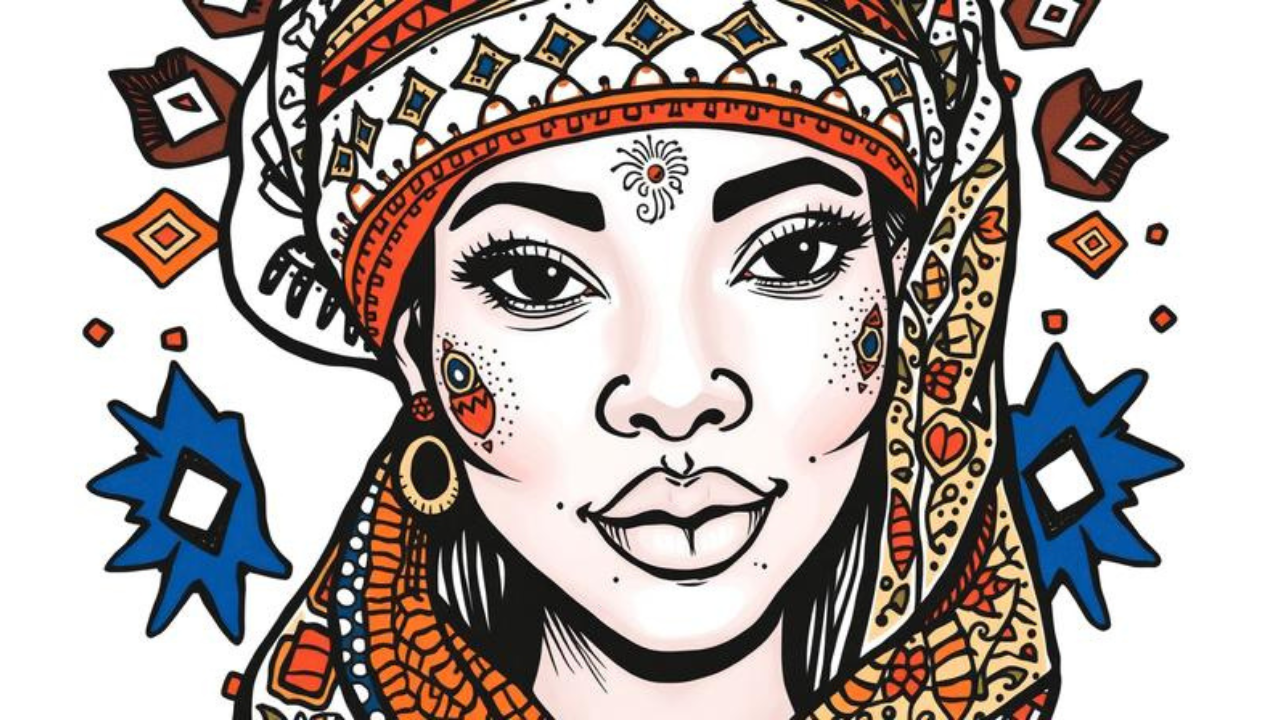
INTRODUCTION
What if you could turn a regular photo of yourself or a friend into a playful, one-of-a-kind piece of art in just minutes? Doodle portrait art is exactly that—a creative style that transforms standard images into fun, hand-drawn masterpieces filled with patterns, bold lines, and personality.
You’re about to learn everything about doodle portrait creation—from what it is and why it’s so popular, to how you can make your own using free online tools and simple drawing techniques. Whether you’re searching for a doodle portrait online maker or need fresh doodle portrait ideas, this guide has you covered.
By the end of this article, you’ll know exactly how to create, customize, and share your own doodle portrait designs. You’ll also discover the best doodle portrait maker options and learn pro tips to make your artwork stand out.
TABLE OF CONTENTS
-
What Is a Doodle Portrait? / Introduction to Doodle Portrait
-
Why Does a Doodle Portrait Matter? / Key Benefits
-
Doodle Portrait — Key Facts, Types & How It Works
-
How To Create a Doodle Portrait
-
Common Mistakes & Myths to Avoid
-
Expert Tips for Best Results
-
Frequently Asked Questions
What Is a Doodle Portrait?
A doodle portrait is a creative illustration of a person’s face or character using playful, hand-drawn lines, patterns, and embellishments. Unlike realistic portraits that aim for photographic accuracy, a doodle portrait embraces imperfection and exaggeration to capture personality and emotion.
Think of it like this: if a standard photo is a formal handshake, a doodle portrait is a high-five with confetti. It’s the same person, but now they’re bursting with color, texture, and character.
Doodle portrait art can range from simple line drawings to intricate compositions filled with Zentangle patterns, geometric shapes, and vibrant colors. The beauty of this style is that you don’t need to be a skilled artist to get started. As one tutorial explains, “self-portraits are a great way to begin making art if you’re new to drawing or painting, because you know your own face better than anyone”.
You can create a doodle portrait in two main ways:
-
Hand-drawn — using pencils, pens, and markers on paper
-
Digital — using a doodle portrait online generator or app
Both approaches produce stunning results. Digital tools are especially popular because they’re fast, forgiving, and offer endless customization options. A doodle portrait maker can turn any photo into a playful illustration in seconds.
Why Does a Doodle Portrait Matter?
Doodle portrait art isn’t just a fun hobby—it offers real benefits for your creativity, focus, and well-being. Here’s why you should try it:
-
Boosts creativity and self-expression — A doodle portrait lets you experiment with colors, patterns, and styles. It’s a low-pressure way to explore your artistic side. “Doodling and colouring both allow children to express their creativity and let their imaginations run wild”.
-
Improves focus and reduces stress — The repetitive motion of drawing patterns can calm your mind. Studies show that doodling “helps to reduce stress, regulate emotions, and help children to express themselves”. Doodles act like “safety valves for releasing negative emotions and feelings”.
-
Personalizes your digital presence — A custom doodle portrait makes an awesome profile picture, social media avatar, or phone wallpaper. It’s a great way to stand out and show off your personality.
-
Builds artistic confidence — Starting with a familiar subject—your own face—removes the intimidation factor. “You know your own face better than anyone,” which makes it the perfect starting point.
-
Creates meaningful gifts — A hand-drawn or digitally generated doodle portrait makes a thoughtful, personalized present for friends and family.
-
Develops design skills — Working with lines, shapes, and colors introduces you to basic graphic design principles—skills that are valuable in academics and future careers.
Research shows that “highly creative types often doodle to let their mind act as a conduit for ideas and enhanced creativity”. oodle portrait art gives you that creative boost while producing something beautiful.
Doodle Portrait — Key Facts, Types & How It Works
Doodle portrait art comes in many styles. Understanding the different types helps you choose the right approach for your project.
Hand-Drawn Doodle Portraits
This is the traditional method. You’ll need paper, pencils, pens, and markers. Popular hand-drawn styles include:
-
Minimalist line portraits — Simple, clean lines that capture facial features with minimal detail.
-
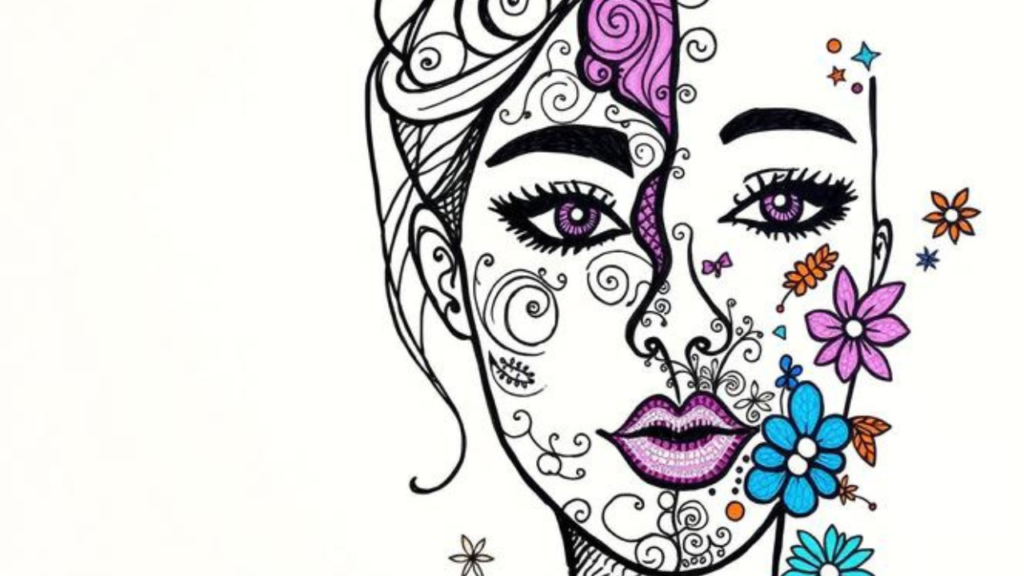
Zentangle portraits — Fill the face and background with intricate, repeating patterns.
-
3D doodle portraits — Create depth by drawing a grid over the face and adding patterns within each square.
-
Expressive portraits — Exaggerate features like eyes, hair, or expressions to convey big emotions.
-
Whimsical portraits — Add fantasy elements like flowers, stars, or animal features.
Digital Doodle Portrait Makers
Digital tools make doodle portrait creation fast and accessible. A doodle portrait online generator allows you to upload a photo and transform it into a playful illustration instantly. Key features include:
-
AI-powered generation — Type a prompt or upload an image, and the AI creates a unique doodle portrait in seconds.
-
Style variety — Choose from different artistic styles, from simple line art to colorful, expressive illustrations.
-
Customization options — Adjust colors, line weight, and add decorative elements.
-
High-resolution downloads — Export your doodle portrait in PNG, JPEG, or PDF formats.
Doodle Portrait Apps
For on-the-go creation, a doodle portrait maker app is your best bet. Apps like Aipo turn “any photo into a stunning piece of art in seconds”. Many apps offer:
-
Photo-to-art conversion with multiple style options
-
Touch-based drawing tools
-
Easy sharing to social media
Comparison Table: Hand-Drawn vs. Digital Doodle Portraits
| Feature | Hand-Drawn | Digital (Generator / App) |
|---|---|---|
| Skill required | Basic drawing skills | None — upload and generate |
| Time | 30–90 minutes | 1–5 minutes |
| Customization | Unlimited | Extensive (styles, colors) |
| Cost | Low (paper + pens) | Free options available |
| Output | Physical artwork | PNG, JPG, PDF files |
| Best for | Gifts, journals, personal projects | Social media, printing, quick designs |
Both methods have their place. Many beginners start with a doodle portrait online generator to get inspired, then try hand-drawing their own versions.
How To Create a Doodle Portrait
Follow these six simple steps to create your own doodle portrait—whether by hand or using a digital tool.
Step 1: Choose Your Method
Decide whether you want to draw by hand or use a doodle portrait online generator. If you’re short on time or new to art, start with a generator. If you enjoy the tactile experience, grab paper and pens.
Step 2: Get Your Reference Image
For hand-drawn portraits, “you can use a reference image or take a selfie to help you draw the portrait”. For digital tools, simply upload a clear photo of yourself or the person you want to illustrate.
Step 3: Sketch the Basic Outline
For hand-drawn: “Sketch a simple portrait outline using a pencil”. Focus on the basic shape of the face, hair, and key features. Don’t worry about perfection—doodle portraits embrace imperfection. For digital: the AI handles this step automatically.
Step 4: Add Patterns and Details
This is where the magic happens. “Draw patterns such as dots, lines, or shapes” within and around the face. Be creative and experiment with different patterns. Digital tools let you adjust styles and add decorative elements with a few clicks.
Step 5: Add Shading and Color
“Add shading to your patterns using a fine liner black pen or black marker” to give your portrait depth and dimension. Then “use colored pencils to add color” starting with light layers and gradually building up. Digital tools offer instant color palettes and shading options.
Step 6: Outline and Finish
“Outline your portrait with a fine liner black pen or black marker to define the edges”. Then “erase any remaining pencil marks and admire your stunning doodle portrait“. For digital creations, simply download your finished artwork in your preferred format.
Common Mistakes & Myths to Avoid
Even experienced doodlers make mistakes. Here are the most common pitfalls—and how to avoid them.
-
Mistake: Starting with permanent ink.
Truth: Always sketch lightly in pencil first. You need room to adjust proportions and fix errors before committing to ink. -
Mistake: Overcomplicating the design.
Truth: Start simple. A clean, minimalist doodle portrait often looks better than a cluttered one. You can always add more details later. -
Myth: You need to be a great artist.
Truth: “Everyone can create amazing illustrations without even knowing how to draw”. Doodle portrait art is for everyone. -
Mistake: Ignoring the grid method.
Truth: For 3D effects, “draw vertical and horizontal lines across the face to create a grid”. This helps you create depth and structure. -
Myth: Digital generators are cheating.
Truth: Generators are tools, not shortcuts. They help you learn about composition, color, and style—skills you can later apply to hand-drawn work.
Expert Tips for Best Results
Take your doodle portrait from good to great with these five expert tips:
-
Start with a familiar face. “You know your own face better than anyone,” making self-portraits the perfect starting point.
-
Experiment with different patterns. Try dots, lines, zigzags, and swirls to create unique textures.
-
Use a consistent color palette. Stick to 3–4 colors that complement each other for a professional look.
-
Add depth with shading. Use darker lines or colors in shadow areas to give your portrait a 3D effect.
-
Be specific with your prompts. If using a digital tool, “describe the style, colors, and the subject clearly” for the best results.
Frequently Asked Questions
Q1: Is there a free doodle portrait maker online?
Yes, many doodle portrait online tools are completely free. CapCut offers a free AI doodle generator that turns text prompts or images into playful illustrations. You can create, edit, and download your doodle portrait in high resolution without paying or dealing with watermarks.
Q2: Can I turn a photo into a doodle portrait?
Absolutely. Many doodle portrait maker tools let you upload a photo and transform it into a hand-drawn style illustration. The software “identifies contours, textures and converts them into expressive hand-drawn lines” in seconds. This is perfect for creating personalized avatars or gifts.
Q3: What supplies do I need for a hand-drawn doodle portrait?
You’ll need drawing paper, graphite pencils (HB, 2B, 4B, 6B), a fine liner black pen or marker, colored pencils (optional), a ruler, a pencil sharpener, and an eraser. That’s it! Most of these items are affordable and easy to find at any art supply store.
CONCLUSION
Creating a doodle portrait is one of the easiest and most rewarding creative activities you can try. You’ve learned what a doodle portrait is, why it matters, and exactly how to create one—whether by hand or using a doodle portrait online generator. You also discovered common mistakes to avoid and pro tips for professional-looking results.
The three most important takeaways:
-
Anyone can do it — no artistic experience required.
-
Digital tools make it fast — use a free generator or app to create stunning portraits in minutes.
-
It’s personal and practical — from social media avatars to gifts, your doodle portrait is uniquely yours.
Start today. Upload a photo to a doodle portrait maker or grab a pencil and paper. Turn yourself into art—and watch your creativity grow.
What style of doodle portrait are you most excited to try? Share your thoughts in the comments below!