 By Mubashir Abbasi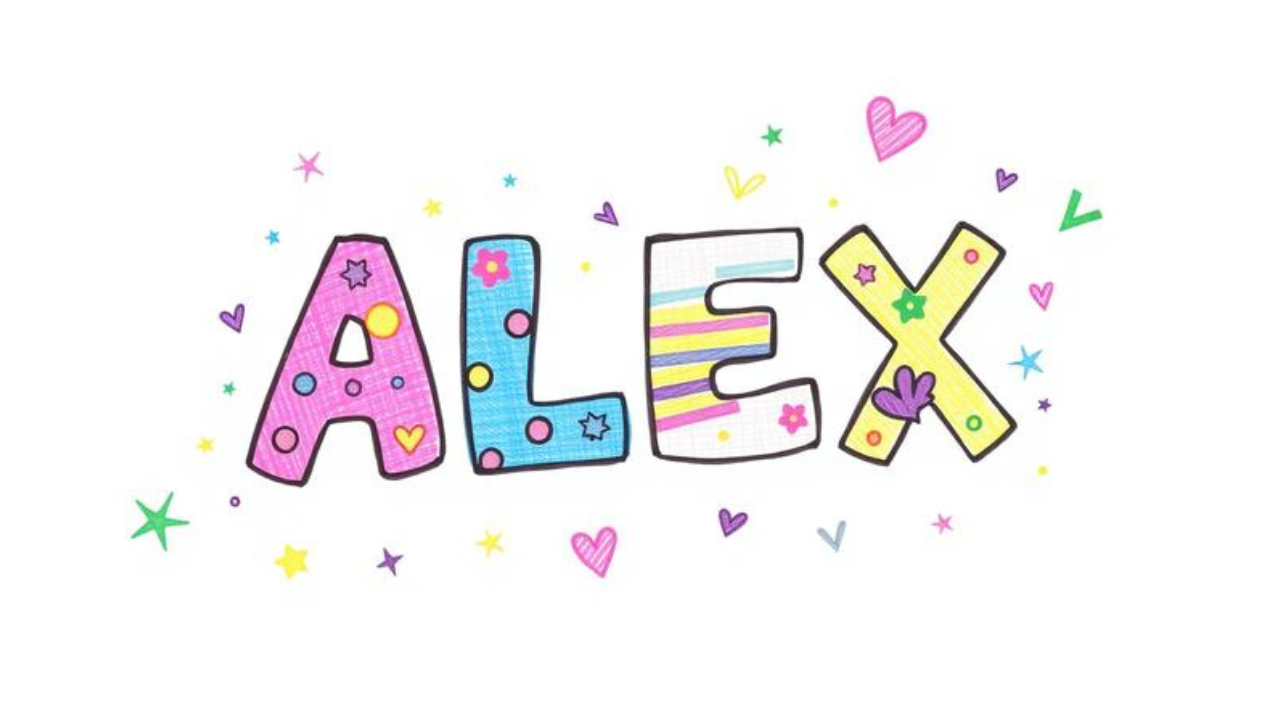
INTRODUCTION
What if you could turn your name into a piece of art in under five minutes? Most students spend hours scrolling through social media when they could be creating something uniquely theirs. A name doodle is exactly that—a creative, hand-drawn design of your name that combines lettering with patterns, colors, and personality.
You’re about to learn everything about name doodle art—from what it is and why it matters, to how you can create your own using free online tools and simple hand-drawing techniques. Whether you’re looking for a name doodle generator online free or want to master name doodle art easy methods, this guide covers it all.
By the end of this article, you’ll know exactly how to create, customize, and download your own name doodle designs. You’ll also discover the best name doodle app options and learn how to change your my doodle name settings effortlessly. Let’s dive in.
TABLE OF CONTENTS
-
What Is a Name Doodle? / Introduction to Name Doodle
-
Why Does Name Doodle Matter? / Key Benefits
-
Name Doodle — Key Facts, Types & How It Works
-
How To Create a Name Doodle
-
Common Mistakes & Myths to Avoid
-
Expert Tips for Best Results
-
Frequently Asked Questions
What Is a Name Doodle?
A name doodle is a creative, personalized illustration of a name using decorative lettering, patterns, shapes, and colors. Think of it as turning plain text into a visual masterpiece. Unlike standard handwriting, a name doodle transforms each letter into a work of art—bubbly, blocky, floral, geometric, or anything in between.
Here’s a simple analogy: if your regular signature is a plain t-shirt, a name doodle is that same t-shirt customized with vibrant designs, patches, and embroidery. It’s the same name, but now it has personality and style.
Name doodling doesn’t require advanced drawing skills. As one tutorial explains, “If students can write their name with stick letters, they can learn how to turn their name into a doodle”. The process is accessible to everyone—from complete beginners to seasoned artists.
You can create a name doodle in two ways:
-
Hand-drawn — using pencils, markers, and paper
-
Digital — using a name doodle generator online free or a name doodle app
Both methods produce stunning results. The digital approach is especially popular among students because it’s fast, forgiving, and offers endless customization options. Tools like MockoFun let you “create your own doodle name in seconds” with features like fonts, textures, and graphic elements.
Whether you’re decorating a notebook, designing a gift, or just exploring your creative side, a name doodle is your personal canvas.
Why Does Name Doodle Matter?
Name doodling isn’t just a fun pastime—it offers real, tangible benefits for students. Here’s why you should start today:
-
Boosts creativity and self-expression — A name doodle lets you experiment with colors, patterns, and lettering styles. It’s a low-pressure way to explore your artistic side without fear of “getting it wrong.”
-
Improves focus and reduces stress — Doodling helps you concentrate. The repetitive motion of drawing patterns and shapes can calm your mind, making it easier to retain information during lectures or study sessions.
-
Personalizes your belongings — From notebook covers to phone cases, a custom name doodle makes your items uniquely yours. It’s an excellent way to stand out and express your identity.
-
Builds artistic confidence — Starting with your name—something you already know how to write—removes the intimidation factor. As one creator puts it, “Your name is uniquely yours, which makes it the perfect canvas for personal artistic expression”.
-
Creates meaningful gifts — A hand-drawn or digitally generated name doodle makes a thoughtful, personalized present for friends and family.
-
Develops design skills — Working with fonts, colors, and layouts introduces you to basic graphic design principles—skills that are valuable in academics and future careers.
Research shows that doodling can improve memory retention by up to 29% compared to passive listening. When you engage your hands and eyes in a creative task, your brain stays active and alert. name doodling gives you that cognitive boost while producing something beautiful.
Name Doodle — Key Facts, Types & How It Works
Name doodles come in many styles. Understanding the different types helps you choose the right approach for your project.
Hand-Drawn Name Doodles
This is the traditional method. You’ll need paper, a pencil, an eraser, and markers or colored pens. Popular hand-drawn styles include:
-
Bubble letters — “Bubble letters are one of the easiest and most playful ways to doodle your name”. Start by sketching your name, then draw a second outline around each letter to create a “puffy” effect.
-
Block letters with patterns — Fill bold, geometric letters with polka dots, stripes, zigzags, or Zentangle-inspired patterns.
-
Floral and nature themes — Add vines, leaves, flowers, or branches that weave through your letters.
-
Themed designs — Incorporate rainbows, animals, stars, or other motifs that reflect your personality.
Digital Name Doodle Generators
Digital tools make name doodle creation fast and foolproof. A name doodle generator online free allows you to type your name, choose a style, and download the result instantly. Key features include:
-
Font libraries — Access hundreds of fonts, from playful to elegant
-
Color palettes — Experiment with gradients, solid colors, and patterns
-
Graphic elements — Add stars, flowers, swirls, and other embellishments
-
Editable layers — Adjust text, move elements, and resize designs
Name Doodle Apps
For on-the-go creation, a name doodle app is your best bet. Apps like Doodle Name Art Maker let you “make your own name” with offline functionality. Many apps offer:
-
Touch-based drawing with digital pens
-
Sticker and emoji integration
-
Export options for social media or printing
Comparison Table: Hand-Drawn vs. Digital Name Doodles
| Feature | Hand-Drawn | Digital (Generator / App) |
|---|---|---|
| Skill required | Basic drawing skills | None — type and generate |
| Time | 15–60 minutes | 1–5 minutes |
| Customization | Unlimited (your imagination) | Extensive (fonts, colors, elements) |
| Cost | Low (paper + pens) | Free options available |
| Output | Physical artwork | PNG, JPG, PDF files |
| Best for | Gifts, journals, personal projects | Social media, printing, quick designs |
Both methods have their place. Many students start with a digital name doodle generator online free to get inspired, then try hand-drawing their own versions.
How To Create a Name Doodle
Follow these six simple steps to create your own name doodle—whether by hand or using a digital tool.
Step 1: Choose Your Method
Decide whether you want to draw by hand or use a name doodle generator online free. If you’re short on time or new to art, start with a generator. If you enjoy the tactile experience, grab paper and pens.
Step 2: Sketch Your Name (Hand-Drawn) or Type It (Digital)
For hand-drawn: “Lightly sketch your name in pencil first so you can adjust the spacing and letter shapes before outlining”. Leave plenty of space between letters. For digital: simply type your name into the generator or app.
Step 3: Build the Letter Shapes
Turn your letters into bubble or block forms. Draw a second outline around each letter to create thickness. In a digital tool, select a bold or decorative font that matches your vision.
Step 4: Outline Everything
Use a black marker or fineliner to trace your pencil lines. This makes the design “stand out” and gives it a polished look. For digital creations, adjust stroke thickness and color.
Step 5: Add Patterns and Decorations
This is where the magic happens. Fill your letters with dots, stripes, swirls, or floral patterns. Add borders, stars, or small icons around your name. Digital tools offer pre-made elements you can drag and drop.
Step 6: Finish with Color and Shading
Apply colors using markers, colored pencils, or digital palettes. Add shadows or highlights to give your name doodle a 3D effect. When you’re happy with the result, download your design or display it proudly.
Pro tip: If you’re using a name doodle generator online free, experiment with different fonts and color schemes before committing to your final design.
Common Mistakes & Myths to Avoid
Even experienced doodlers make mistakes. Here are the most common pitfalls—and how to avoid them.
-
Mistake: Starting with permanent ink.
Truth: Always sketch lightly in pencil first. You need room to adjust spacing and fix errors before committing to ink. -
Mistake: Cramming letters too close together.
Truth: Leave generous space between letters so they have room to “breathe” and accommodate decorations. -
Myth: You need to be a great artist.
Truth: “No special skills are needed, just an interest in making a cute and fun drawing”. Name doodling is for everyone. -
Mistake: Overcomplicating the design.
Truth: Start simple. You can always add more details later. A clean, minimal name doodle often looks better than a cluttered one. -
Myth: Digital generators are cheating.
Truth: Generators are tools, not shortcuts. They help you learn about composition, color, and style—skills you can later apply to hand-drawn work. -
Mistake: Forgetting to save or download your work.
Truth: Always export your digital name doodle in high resolution (PNG or PDF) so you can print or share it later.
Expert Tips for Best Results
Take your name doodle from good to great with these five expert tips:
-
Start with bubble letters. They’re the easiest and most forgiving style for beginners.
-
Use a consistent color palette. Stick to 3–4 colors that complement each other for a professional look.
-
Add a shadow. A simple drop shadow behind your letters creates instant depth and dimension.
-
Experiment with different fonts. If you’re using a generator, try 5–10 font options before settling on one.
-
Save multiple versions. Create variations with different colors and patterns. You’ll have options for different projects and moods.
Frequently Asked Questions
Q1: Is there a free name doodle generator online?
Yes, many name doodle generator online free tools exist. MockoFun offers a free doodle name maker with 800+ fonts and editable layers. You can type your name, customize the design, and download it without paying.
Q2: Can I change my doodle name after creating it?
If you’re using a digital tool, yes—most generators let you edit the text, font, and colors at any time. For hand-drawn doodles, you’d need to start over or use white-out. Some platforms also allow my doodle name change through account settings.
Q3: How do I download my name doodle?
Most digital tools offer a name doodle download option. Look for export buttons labeled “Download,” “Save,” or “Export.” Choose PNG for web use or PDF for high-quality printing. Hand-drawn doodles can be scanned or photographed.
CONCLUSION
Creating a name doodle is one of the easiest and most rewarding creative activities you can try. You’ve learned what a name doodle is, why it matters, and exactly how to create one—whether by hand or using a name doodle generator online free. You also discovered common mistakes to avoid and pro tips for professional-looking results.
The three most important takeaways:
-
Anyone can do it — no artistic experience required.
-
Digital tools make it fast — use a free generator or app to create stunning designs in minutes.
-
It’s personal and practical — from gifts to notebooks, your name doodle is uniquely yours.
Start today. Open a name doodle app or grab a pencil and paper. Turn your name into art—and watch your creativity grow.
What style of name doodle are you most excited to try? Share your thoughts in the comments below!