 By Richard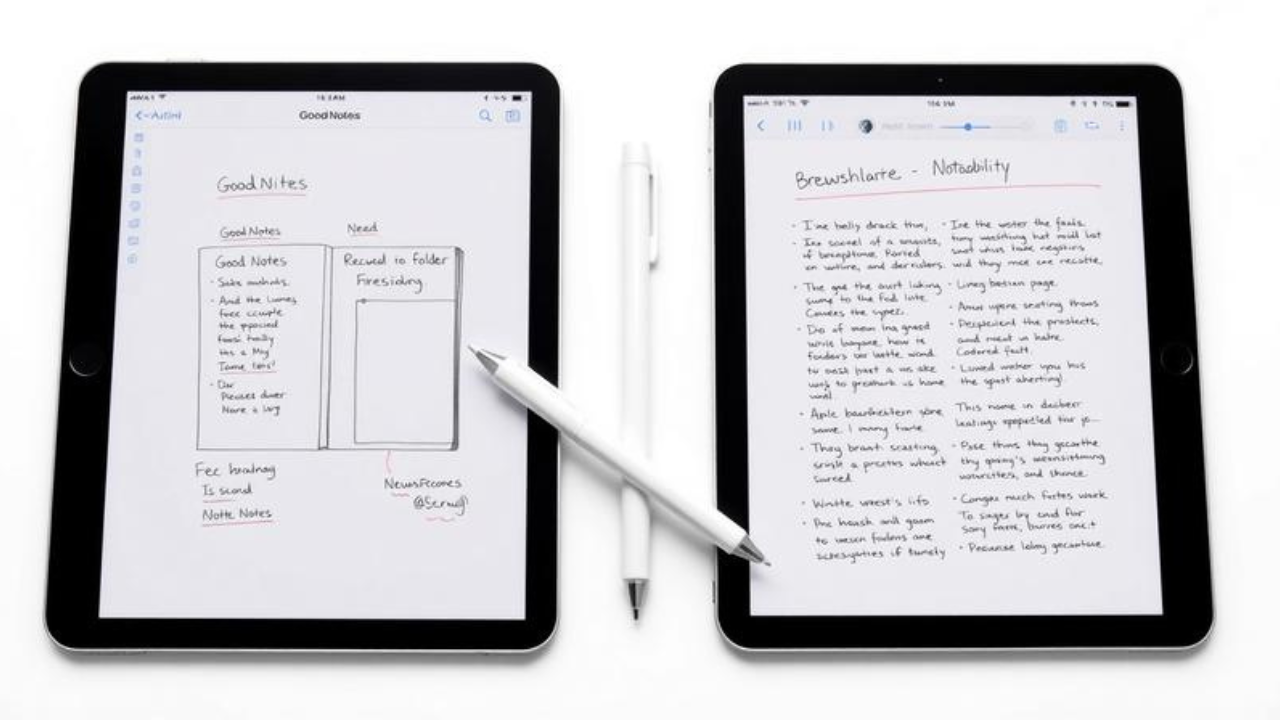
The year was 2019. I sat in a coffee shop, iPad Pro freshly unboxed, Apple Pencil in hand, ready to revolutionize my note-taking forever. I’d seen the videos — those gorgeous, flowing sketchnotes that seemed to materialize effortlessly from nowhere. I downloaded both GoodNotes and Notability, convinced I’d find my perfect match within minutes.
Three hours later, I was still flipping between apps, more confused than when I started. Both felt right. Both felt wrong. And I’d somehow managed to create exactly zero sketchnotes.
Fast forward to today, and I’ve logged hundreds of hours in both apps. I’ve sketchnoted everything from TED talks to team meetings to complex research papers. And I’ve learned something crucial: the “best” app isn’t the one with the most features — it’s the one that fits how your brain actually works.
If you’re staring at that same decision, wondering whether GoodNotes or Notability is the right canvas for your visual thinking journey, you’re not alone. Both apps have loyal followings and powerful features. But for sketchnoting specifically? The answer isn’t as simple as you might think.
The Sketchnoting Landscape: Why This Choice Matters
Sketchnoting — visual note-taking that combines words, drawings, arrows, and structure — has exploded in popularity. And the iPad has become the weapon of choice for digital sketchnoters, offering the perfect blend of portability, precision, and creative freedom.
But here’s the thing: not all note-taking apps are created equal when it comes to sketchnoting. While both GoodNotes and Notability dominate the conversation, they approach visual note-taking from fundamentally different angles.
GoodNotes aims to replicate the experience of a physical notebook. It’s structured, organized, and predictable — ideal for sketchnoters who crave order and a familiar workflow. Notability, by contrast, is built for speed and flexibility. It’s the app for sketchnoters who want to capture ideas on the fly, without worrying about page boundaries or folder structures.
Understanding this core difference is the first step to choosing your sketchnoting home.
Round One: The Sketchnoting Experience
The Canvas: Pages vs. Infinite Scroll
This is where the philosophical divide becomes physical.
GoodNotes gives you pages — actual, discrete pages that mimic a real notebook. You can flip through them, organize them into notebooks, and even add custom covers. For sketchnoters who think in terms of “one idea per page” or who like to create structured, self-contained visual summaries, this is incredibly satisfying.
Notability, however, offers an infinite canvas. You can scroll vertically forever, adding to your sketchnote as ideas flow. There are no page breaks to interrupt your thinking. For sketchnoters who work in a more freeform, continuous style — or who like to build sprawling mind maps — this is liberating.
The verdict? It depends on your thinking style. If you like boundaries and structure, GoodNotes wins. If you prefer flow and freedom, Notability takes the crown.
The Pen: Feel and Precision
Both apps offer excellent handwriting experiences with Apple Pencil support. But they feel different.
GoodNotes uses vector-based ink that produces crisp, clean strokes. The handwriting experience is often described as more “natural” and “paper-like”. It also offers superior shape correction — draw a rough circle, and GoodNotes will magically transform it into a perfect one. For sketchnoters who use lots of diagrams, this is a game-changer.
Notability focuses on fluidity and responsiveness. The ink engine is smooth, with full pressure sensitivity. However, it lacks the sophisticated shape recognition of GoodNotes.
The verdict? GoodNotes wins for precision and diagram-heavy sketchnoting. Notability wins for pure writing feel and speed.
The Tools: What’s in Your Kit
Both apps offer the essentials: pens, highlighters, erasers, lasso tools, and shape tools. But there are differences.
GoodNotes offers more pen styles, better page templates, and a richer sticker ecosystem. It also has an “Elements” tool that lets you save and reuse frequently-drawn objects — perfect for sketchnoters who use the same icons repeatedly.
Notability keeps it simpler. The toolbox is customizable, but the options are more streamlined. It’s designed for getting things done quickly, not for extensive customization.
The verdict? GoodNotes for sketchnoters who love customization and reusable assets. Notability for those who prefer minimalism and speed.
Round Two: The Superpowers
Audio: Notability’s Killer Feature
If there’s one area where Notability runs away with it, it’s audio.
Notability’s audio recording feature is legendary. You can record a lecture or meeting while taking sketchnotes, and the app syncs your handwriting to the audio. Tap a word in your notes, and the audio jumps to that exact moment. For students or professionals who need to revisit complex discussions, this is revolutionary.
GoodNotes has audio recording too, but it’s more basic. The sync functionality isn’t as seamless, and the integration feels like an afterthought rather than a core feature.
The verdict? Notability, hands down. If audio is important to you, this isn’t even a competition.
Organization: GoodNotes’ Fortress
Flip the script, and GoodNotes dominates organization.
GoodNotes lets you create nested folders, multiple notebooks with custom covers, and a hierarchical structure that mirrors physical filing systems. You can organize your sketchnotes by project, date, topic, or any system you devise. For sketchnoters who build extensive libraries of visual notes, this is essential.
Notability uses dividers and subjects — a simpler, flatter structure. It’s faster to set up but offers less depth for long-term organization.
The verdict? GoodNotes wins for sketchnoters who want to build a lasting archive. Notability wins for those who prefer “open and write” simplicity.
AI: The New Frontier
Both apps are embracing AI, but in different ways.
GoodNotes has integrated AI more deeply into the note-taking experience. It offers AI-powered summarization, flashcard creation, and even interactive exam practice. The AI works with handwriting, typing, and sketches alike.
Notability has focused its AI on meeting productivity — offering live transcripts, smart notes, and action item generation. It also has a “Learn” feature that creates summaries and quizzes from your notes.
The verdict? GoodNotes for students and self-directed learners. Notability for professionals in meeting-heavy environments.
Round Three: The Cost of Creativity
Pricing has become a contentious issue, especially for Notability.
GoodNotes offers a one-time purchase option (with in-app purchases for some features). This is increasingly rare and valuable for users who hate subscription fatigue.
Notability has moved to a subscription model. The Pro plan costs $100 per year or $20 per month. While there is a free version, many advanced features are locked behind the paywall.
The verdict? If you hate subscriptions, GoodNotes is the clear winner. If you’re willing to pay for premium features, Notability’s subscription unlocks significant power.
The Nuance: Not Everyone Will Agree
Let’s be honest — the GoodNotes vs Notability debate is one of the most passionate in the Apple ecosystem. And for good reason: both apps are excellent.
Some users swear by Notability’s audio integration and can’t imagine life without it. Others find GoodNotes’ organization so superior that they’ll never switch. Many power users — myself included — keep both apps installed and use them for different purposes.
The truth is, there’s no universal “best” app. There’s only the best app for you and your specific sketchnoting workflow.
Actionable Takeaways: How to Choose
-
Define your primary use case. Are you a student recording lectures? Notability’s audio is unbeatable. Are you a planner or journaler? GoodNotes’ organization wins.
-
Test both for free. Both apps offer free versions. Spend a week with each, creating real sketchnotes, not just testing features.
-
Consider your thinking style. Do you prefer pages or infinite scroll? Structure or freedom? The answer will guide you.
-
Factor in cost. If you hate subscriptions, GoodNotes is the obvious choice. If you’re willing to pay for premium features, Notability delivers.
-
Remember: it’s about the sketchnote, not the app. The best tool is the one that gets out of your way and lets you think visually.
Frequently Asked Questions
Q: Which app is better for beginners to sketchnoting?
GoodNotes is often recommended for beginners because of its familiar notebook-style interface and lower learning curve.
Q: Can I use both apps?
Absolutely. Many users keep both installed and use them for different purposes.
Q: Which app has better handwriting recognition?
GoodNotes generally has superior handwriting recognition and search capabilities.
Q: Does Notability still offer a one-time purchase?
No. Notability has moved to a subscription model. GoodNotes still offers a one-time purchase option.
Q: Which app is better for PDF annotation?
Both are excellent, but GoodNotes is often preferred for its better organization and customization of annotated PDFs.
Q: Can I share my sketchnotes from these apps?
Yes. Both apps support sharing and exporting to PDF and other formats.
Q: Which app works on Android?
GoodNotes has cross-platform support including Android. Notability is limited to Apple devices.
Conclusion
The GoodNotes vs Notability debate isn’t really about which app is “better.” It’s about understanding yourself.
Are you a structured thinker who loves organization, customization, and the feeling of a physical notebook? GoodNotes is your app. Its page-based system, superior shape correction, and deep organizational features will make your sketchnoting practice sing.
Are you a freeform thinker who values speed, flexibility, and the ability to capture ideas as they flow? Notability is your app. Its infinite canvas, legendary audio integration, and minimalist approach will get out of your way and let you think.
The beauty of sketchnoting is that it’s a deeply personal practice. Your visual notes are an extension of how you think, how you learn, how you make sense of the world. The app you choose should be an extension of that — not a constraint.
So here’s my challenge to you: stop reading, stop researching, and start sketching. Pick an app — either one — and create something. Your first sketchnote will be imperfect. Your tenth will be better. And somewhere along the way, you’ll discover which app truly fits.
Because the best sketchnote app isn’t the one with the most features. It’s the one that helps you forget you’re using an app at all.